

This interface is intended for departments with a significant number of person pages to manage for their directory system. Based on a similar layout to the All Content screen, the screen will allow you to search, filter, and make bulk changes to your collection of profiles.
Where is the interface located?
Using your admin panel Navigate using Shortcuts » All Content » Persons tab: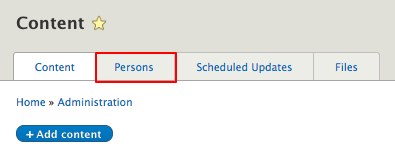
What can you do on this page?
- The filter interface will allow you to Filter by:
- a person's name
- a Person type (either provided as part of the default or that you added through the Taxonomy section)
- whether the Person is featured, hidden, or its Published status

- Affect one or multiple person pages in the list using the bulk operations bar
- Begin by checking the box next to the person page name to reveal the bulk operations bar at the bottom of the screen.
